Grandstream GRP Click2Dial by grandstream
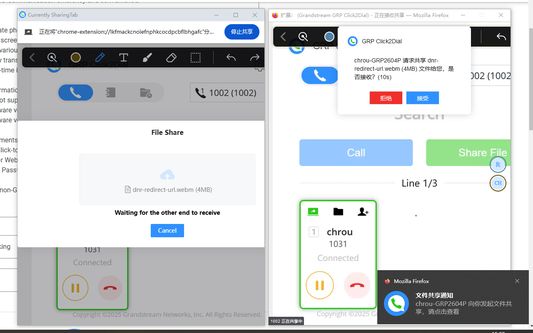
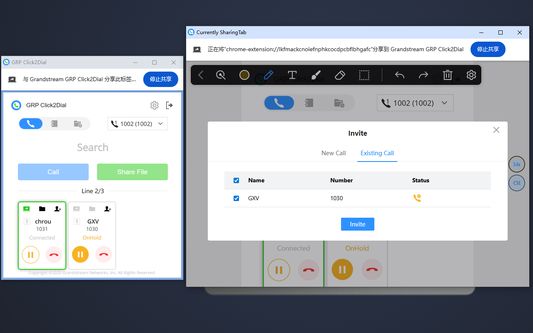
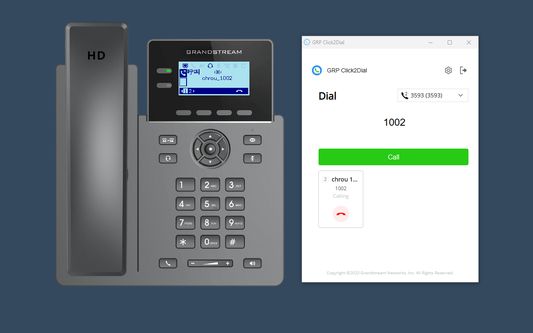
Grandstream GRP Click2Dial is a lightweight browser extension that seamlessly integrates with Grandstream GRP260x series and GRP260x Lite devices, enabling one-click dialing, screen sharing, software annotation, and file transfer from a computer.
185 Users185 Users
Extension Metadata
Screenshots
About this extension
Grandstream GRP Click2Dial is a lightweight web browser extension that seamlessly integrates with Grandstream GRP260x series and GRP260x Lite devices. It allows users to log in via device IP or MAC address, enabling one-click dialing, screen sharing, software annotation, and file transfer directly from their computers. This plugin reduces manual operations on physical phones, significantly enhancing communication efficiency and convenience.
Key Features:
1. Directly initiate phone calls by selecting contact-related strings on webpages within the browser.
2. Easily share screens during calls for remote presentations or collaboration.
3. Annotate in various styles during screen sharing.
4. Conveniently transfer files during calls to improve communication efficiency.
5. Receive real-time incoming call notifications on the computer for prompt handling.
Important Information:
- GRP260x firmware versions prior to 1.0.5.25 are not supported.
- GRP260x firmware versions 1.0.5.25 through 1.0.7.5 support only basic dialing functionality.
- GRP260x firmware versions 1.0.7.33 and later support the full range of sharing features.
- GRP260x Lite firmware versions 1.0.1.x and later are supported.
Plugin Requirements:
1. Enable the Click-to-Dial feature on the device.
2. Activate User Web Access on the device.
3. Logging in with the default User Password is not supported; please change the password on the device before logging in.
4. The plugin cannot connect to unsupported devices.
Key Features:
1. Directly initiate phone calls by selecting contact-related strings on webpages within the browser.
2. Easily share screens during calls for remote presentations or collaboration.
3. Annotate in various styles during screen sharing.
4. Conveniently transfer files during calls to improve communication efficiency.
5. Receive real-time incoming call notifications on the computer for prompt handling.
Important Information:
- GRP260x firmware versions prior to 1.0.5.25 are not supported.
- GRP260x firmware versions 1.0.5.25 through 1.0.7.5 support only basic dialing functionality.
- GRP260x firmware versions 1.0.7.33 and later support the full range of sharing features.
- GRP260x Lite firmware versions 1.0.1.x and later are supported.
Plugin Requirements:
1. Enable the Click-to-Dial feature on the device.
2. Activate User Web Access on the device.
3. Logging in with the default User Password is not supported; please change the password on the device before logging in.
4. The plugin cannot connect to unsupported devices.
Rated 0 by 0 reviewers
Permissions and data
Required permissions:
- Display notifications to you
- Access browser tabs
- Access your data for all websites
Optional permissions:
- Access your data for all websites
More information
- Add-on Links
- Version
- 1.0.3.10
- Size
- 1.66 MB
- Last updated
- 12 days ago (Jul 24, 2026)
- Related Categories
- License
- All Rights Reserved
- Version History
- Add to collection